
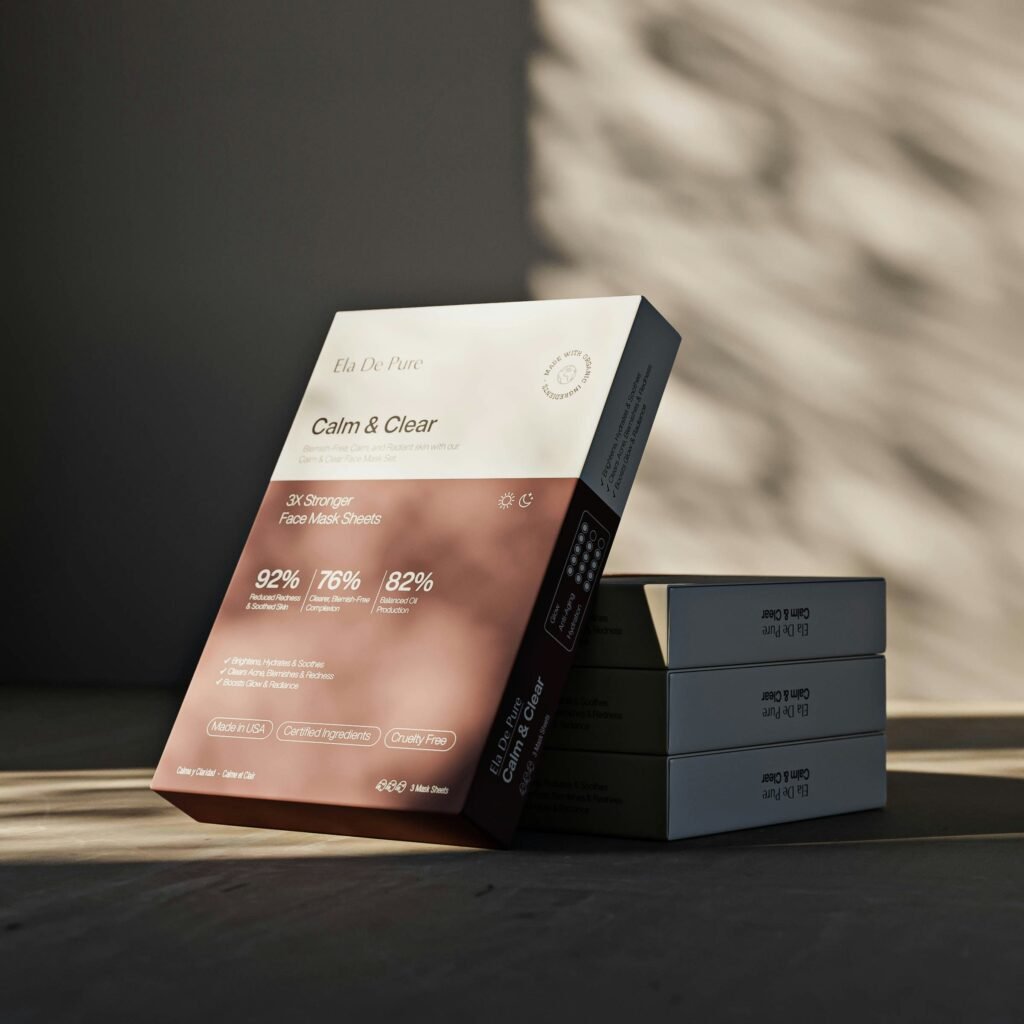
Best Generative AI Prompts for Clean Product Packaging Graphics
Product photography and high-end 3D rendering have traditionally represented some of the most expensive and time-consuming bottlenecks for growing retail brands, cosmetic lines, FMCG goods, and specialty chemical manufacturers. Booking traditional commercial photo studios, arranging physical product prototypes, setting up complex directional lighting, and hiring 3D artists for multi-day rendering pipelines can easily exhaust creative budgets before an ad campaign even launches. Modern generative vision models have completely changed this paradigm. Mastering intentional, engineering-grade AI product mockup prompts allows creative directors and brand strategists to generate photorealistic packaging assets, striking digital catalog displays, and high-converting marketing creatives in minutes instead of weeks.
At The Tapi Media, we architect high-performance creative pipelines and performance advertising systems for ambitious retail enterprises, healthcare brands, and consumer product lines. Moving beyond unpredictable, amateur text inputs toward disciplined, variable-controlled generative AI product visuals allows regional and national brands to elevate their visual identity, streamline testing iterations, and scale their commercial AI branding without inflating traditional studio overhead.
Prompt Lighting Terminology: The Vocabulary of Photorealistic Illumination
The single most decisive factor that separates low-quality, cartoonish artificial intelligence outputs from photorealistic commercial renders is illumination precision. Novice creators often use vague descriptors like “photorealistic,” “hyper-realistic,” or “4K ultra-detailed.” Modern diffusion models largely ignore these generic buzzwords. Instead, algorithms respond to technical, optical lighting terminology borrowed directly from professional studio photography and cinematography.
To control scene illumination and product definition, integrate these precise optical descriptors into your core prompt architecture:
- Volumetric Softbox Illumination: Direct the model to generate diffused, wrap-around lighting that eliminates harsh hotspot blowouts. Use phrasing such as: “Illuminated by dual large octagonal softboxes from a 45-degree high angle, balanced fill light, soft edge roll-off.”
- Rim and Kicker Lighting: To separate clear glass bottles, amber cosmetic droppers, or opaque matte jars from dark or tonal backdrops, specify rim accents: “Crisp subtle edge rim lighting, contour-defining kicker light on the bottle shoulders, separating subject from background.”
- Global Caustics and Refraction: When rendering transparent liquid products, perfume flasks, or epoxy resin packaging, tell the engine how light interacts with physical mass: “Physically accurate light refractions, subtle glass caustics projected onto the matte stone surface beneath.”
- Dappled and Gobo Lighting: For lifestyle product environments, introduce natural depth with shadow patterns: “Subtle botanical gobo shadows, morning sunlight streaming through sheer curtains, gentle organic shadow patterns across the surface.”
- Grounding your prompts in technical cinematography language forms the bedrock of predictable AI product mockup prompts, ensuring consistent, repeatable renders every session.
Studio Reflection Variables: Mastering Material Physics and Surface Textures
Commercial product visuals must look physically plausible to human eyes. When generative models produce unnatural plastic glares, distorted glass reflections, or muddy metallic finishes, potential buyers immediately detect visual fakery and lose trust in the brand. Overcoming this requires describing exact surface shaders and material properties.
Incorporate specific physical rendering variables to control light reflection across diverse packaging materials:
- Matte and Soft-Touch Textures: For luxury skincare boxes, supplements, or premium food pouches, specify diffuse surface interaction: “Velvety soft-touch matte paper packaging, zero specular glare, diffuse ambient light absorption, subtle tactile paper grain.”
- Gloss, Frosted, and Clear Glass: Clearly delineate glass opacity: “Heavyweight luxury cosmetic dropper bottle, semi-translucent frosted glass finish, internal liquid visibility, subtle specular highlights along vertical edges.”
- Metallic Foiling and Embossing: When generating luxury accents on cartons or bottle caps: “Precision hot-stamped metallic gold foil typography, subtle micro-embossed relief, realistic reflective metallic sheen with anisotropic highlights.”
- Ground Planes and Pedestals: Anchor the product on tangible physical surfaces: “Positioned atop a clean travertine stone plinth, brushed concrete platform, or matte acrylic display stage, soft ambient occlusion contact shadows directly under the base.”
Pairing exact material properties with specialized 3D render prompts instructs the model’s latent space to render true-to-life reflections that rival high-end software like Blender or Cinema 4D.
Aspect Ratios for Ad Placement: Composing for Omnichannel Ad Formats
A frequent mistake in commercial AI generation is creating square images and later attempting to awkwardly crop them for vertical stories or landscape website headers. Cropping after the fact often cuts off critical product caps, crops typography, or leaves messy dead space. Professional asset generation plans the composition around the final placement dimensions from the start.
Structure your prompt parameters according to channel-specific display requirements:
- Vertical 9:16 for Mobile Social Placements (
--ar 9:16): Essential for Instagram Reels, YouTube Shorts, and TikTok ads. Script the composition with comfortable breathing room: “Vertical mobile composition, product centered in the lower-middle third, generous negative space in the upper third for headline text overlay.” - Square 1:1 and Portrait 4:5 for Feed Grids (
--ar 1:1or--ar 4:5): Ideal for Meta carousel ads, catalog cards, and Google Shopping listings: “Centered isometric product showcase, eye-level angle, balanced framing, clear margins on all four sides.” - Landscape 16:9 for Website Banners and Video Cards (
--ar 16:9): Formatted for desktop eCommerce hero banners and Google Display ads: “Wide cinematic composition, product arranged on the far right third, expansive clean negative background on the left for promotional copy.”
| Channel Placement | Aspect Ratio Parameter | Compositional Focus | Optimal Commercial Use Case |
|---|---|---|---|
| Meta & TikTok Stories / Reels | --ar 9:16 | Vertical framing, negative top space for interactive stickers & CTA buttons. | Mobile-first video ads, flash sales, influencer-style lifestyle reveals. |
| Instagram & Facebook Feeds | --ar 4:5 or --ar 1:1 | Tight focal depth, centered hero item, balanced side padding. | Carousel product highlights, customer review overlays, feed graphics. |
| Desktop Web & Display Banners | --ar 16:9 or --ar 21:9 | Off-center rule-of-thirds, clean monochromatic negative space for typography. | eCommerce homepages, collection landing pages, programmatic banner ads. |
Planning aspect ratios during the initial generation phase streamlines your Midjourney packaging design workflow, providing ready-to-use creative assets for every stage of your advertising funnel.
Label Mockup Consistency: Solving the Text Generation Challenge
While modern vision models excel at rendering complex glass refractions, stone plinths, and lighting nuances, generating coherent, pixel-perfect brand logos and fine ingredient text remains a common challenge. Generative engines frequently hallucinate garbled characters or distort brand identities. A production-ready design workflow resolves this by treating the AI as an environment and lighting engine, rather than a final typesetting tool.
To produce consistent, commercially viable packaging graphics, deploy this hybrid methodology:
- Prompt for Blank, Unprinted Canvases: Instruct the model to render clean, unbranded packaging surfaces: “Minimalist cylindrical cosmetic pump bottle, completely blank smooth white matte label area, clean unprinted surface, isolated center stage.” This creates a clean base free of AI-generated gibberish.
- Preserve Camera and Angle Seeds: When generating an entire product line (such as a 50ml jar, a 100ml lotion bottle, and a 200ml spray bottle), lock the visual environment by fixing camera parameters, focal length (e.g., “85mm prime lens, f/8 aperture”), and seed values. This keeps lighting and perspective uniform across all variations.
- Composite Vector Labels in Post-Production: Import the generated clean mockup into Adobe Illustrator or Photoshop. Use vector transformation tools, smart object warping, and realistic blending modes (such as Multiply or Linear Burn) to place your authentic vector logo, typography, and regulatory icons onto the bottle’s curved contours.
- Combining AI environments with vector typography unlocks reliable commercial AI branding, giving you studio-grade realism alongside exact brand compliance.
Post-Processing Tweaks: Refining Digital Assets for Final Campaign Launch
Relying on raw, unedited AI output directly inside live ad campaigns or print runs is a recipe for amateur presentation. Even well-crafted prompts can produce subtle edge artifacts, noise banding in gradients, or slight color mismatches that clash with official brand hex codes.
Follow this post-processing quality checklist before deploying any generated visual into production:
- Precision Edge Upscaling: Run raw AI outputs through dedicated generative upscalers (such as Topaz Gigapixel AI or Magnific AI) to restore crisp edge definition, sharpen fine foil textures, and remove pixel compression artifacts without creating plastic textures.
- Color Calibration to Brand Swatches: Generative models interpret colors subjectively. Open the visual in Photoshop or Lightroom, isolate the packaging body using layer masks, and adjust the hue, saturation, and luminance to match your official Pantone or CMYK brand standards.
- Shadow and Contact Depth Adjustments: Occasionally, AI renders leave products looking like they are floating slightly above the display plinth. Manually paint in a subtle, high-density contact shadow right where the base meets the surface to ground the object naturally.
- Selective High-Pass Sharpening: Apply a subtle high-pass filter mask over key packaging details—such as bottle caps, embossed lettering, and dispenser nozzles—to ensure the product remains sharp when viewed on mobile screens.
- A disciplined post-production workflow turns raw generative AI product visuals into polished, high-converting assets ready for commercial deployment.
Frequently Asked Questions
1. Can AI product mockup prompts replace traditional 3D rendering and commercial photography?
For early-stage prototyping, rapid ad testing, social media creative variations, and digital catalog assets, AI product mockup prompts offer an efficient alternative to traditional photography, cutting turnaround times by over 80%. However, final physical packaging dies, structural industrial molds, and strict regulatory print files still rely on dedicated CAD and vector software.
2. Why does Midjourney add strange, garbled text to product mockups?
Diffusion models interpret text as conceptual visual patterns rather than legible linguistic characters. The most effective way to manage Midjourney packaging design is to prompt for blank, unprinted labels and composite your official vector typography onto the surface in Adobe Illustrator or Photoshop.
3. What are the best camera and lens terms to include in 3D render prompts?
Specify focal lengths and aperture settings commonly used in studio product photography: “Shot on 85mm or 100mm macro lens, f/8 to f/11 aperture for edge-to-edge product sharpness, studio eye-level perspective, shallow background fall-off.”
4. How do you maintain consistent lighting across an entire product collection?
Lock your prompt syntax by using consistent descriptors for light setup, background material, plinth texture, and camera focal length. Reusing exact seed numbers and image-to-image style reference parameters (such as Midjourney’s --sref) ensures uniform visual language across a multi-product catalog.
5. How does The Tapi Media integrate generative AI into commercial brand campaigns?
The Tapi Media uses a hybrid creative workflow: developing structured prompt architectures, generating high-fidelity lifestyle backgrounds and studio mockups, compositing verified client branding and vector labels, and deploying performance-optimized ad creatives across Meta and Google platforms to maximize commercial returns.
Scale Your Visual Production with The Tapi Media
Relying solely on slow, expensive studio photography cycles slows down your marketing velocity and limits your ability to test fresh ad variations. In a fast-moving digital marketplace, winning customer attention requires rapid creative iteration backed by striking, photorealistic visuals. Mastering disciplined AI product mockup prompts allows your brand to produce high-end packaging imagery at a fraction of traditional production costs. Connect with The Tapi Media today to upgrade your creative asset pipeline, harness the power of generative AI, and build visually compelling ad funnels that drive real, measurable sales growth.